

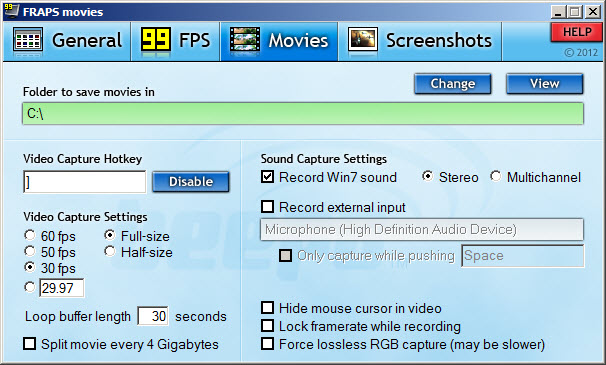

Fraps is an application that record live video from current gameplay or take screenshots. It is used by gamers who wants to save pictures while they are playing games or save a video file to share it later.
It shows the FPS number (frames per second), can be used as benchmark tester for gaming computers, allows hotkeys to start recording or taking screenshot with a simple keyboard combination.
Can choose default folder where images or videos will be automatically saved, can record or not audio input (microphone and/or computer soundcard) in stereo or multichannel mode.
Users can adjust FPS number to record high quality video footages. Can automatically split video at every 4GB, can hide or not mouse cursor and display or not FPS number.
Images can be saved as PNG, JPG, BMP or TGA formats. Users can take snapshots pressing a hotkey or automatically at each X number of seconds.
It includes shortcuts to open folders where files are saved.
