




SyncToy is a small software made by Microsoft and available for free that allows to synchronize files and folders between 2 different sources (locations or destinations). Users can easily create backup of folders and update regularly backup destination device/folder with new files from source.
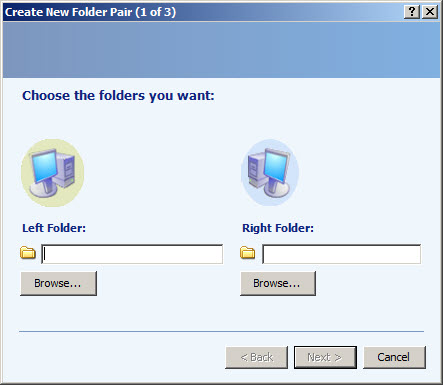
User will work with 2 folders: left and right folder (source and destination). Can choose local folders or from external devices such as external hard drives, USB flash – basically any device that can be connected and recognized by Windows computer.
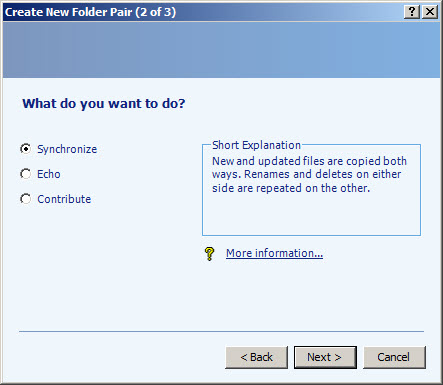
Three different actions or presets are available for each folder pair profile: synchronize (new or modified files are copied both ways), echo (files are copied from left to right and delete files from left that are in right, after synchronization) and contribute (files are copied from left to right with no deletions). These can be changed later from profile clicking “Change action”.
Users can create multiple folder pairs (backup profiles) and later will apply action with a single click.
For each folder pair profile the options are displayed. User can change options such as: exclude or include some file types (extensions like .jpg, .png ..), exclude read-only, hidden or system files, save overwritten files in “Recycle Bin” and even check file contents (for example in text files check if content is changed).
Create and maintain backups of your files automatically. Files from source folder (left) can be deleted automatically or not after the backup/synchronize operation is ended.


